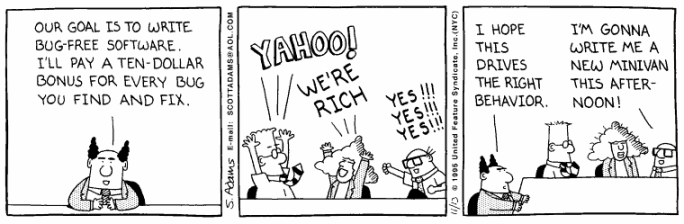
code readability
"Code should be written to minimize the time it would take for someone else to understand it."
The Fundamental Theorem of Readability in "Art of Readable Code", O'Reilly, 2011
"Code should be clear, understandable and maintainable."
What most young programmers need to learn. Joost V, 1/4/15
Code Standards
C# C++ Assembly JavaScript (js rules)
Header: THREE components.
- Identification: NAME! / Date / Class
- Purpose: Why is the program being written?
- Algorithm / Overview:
The steps you are going to take to solve the problem.
Write in bullets - not prose-style rambling...
Body: FOUR components
- Meaningful Names: Names should reflect their purpose.
- Indent: indent code in loops and if statements.
- White Space: Use horizontal & vertical white space.
- Comments: explain WHY. Don't repeat the obvious. Insight!
Additional Functions / Methods:
- Identification: Name / Date / Class (if in separate file)
- Purpose:What does it DO?
- Indent, Naming, White Space, Comments
HTML CSS
Header: TWO components
- Identification: NAME! / Date / Class
- Purpose: Why is the page being created?
Body: FIVE components
- Meaningful Class/Id Names: Names should refelect their purpose
- Semantic Elements: Use header, footer, article, section as well as div or p
- Indent: Indent to reflect the organization.
- White Space: Use horizontal & vertical white space.
- Comments: explain / organize:
HTML blocks (< div > , < h1-h6 > , < p >) <!-- comment -->
CSS classes or ids. /* comment */
Code Refactoring
... improves the structure and maintainability of your code - not the functionality.
... is a disciplined technique for restructuring an existing body of code, altering its internal structure without changing its external behavior.
Refactoring in Visual Studio
r-click on a highlighted name and choose 'refactor' to change to a new name
r-click on a highlighted code block and choose 'refactor' to extract a method
Code Readability: "Professional software developers spend most of their time trying to understand code."
"Since leaving Clarion last May I've been consistently working as one of those very well paid Software Developers you used to talk so much about. As one of your students who constantly battled you on the issue of commenting code, I do have to concede that working my way through code an ex-employee wrote without documentation is an absolute nightmare. At my current job I've actually made the decision, with my boss's blessing, to completely rewrite a fairly large, complex system rather than spend anymore time trying to discern what the original coder wrote. It's going to be a substantial time saver even counting the time I had already spent digging my way through it. I can only hope that X amount of years down the road, someone following in my wake will find the new version well formatted and easy to debug.""My second story that I thought you would enjoy involved my first interview directly after school. Relatively quickly in the interview, the interviewer (the Director of Technology at a very large company) wanted me to demonstrate writing some code. The first thing he asked me to write? Fizzbuzz; with the exact specifications of your 163 homework. He was both surprised and amused that I had already heard of it and said that I was the first. I'm not sure what percentage of the credit Fizzbuzz deserves, but I did get that job."
[message from a former student (BS), August, 2013]
"I just began working on a project that is pretty much a rewrite of an entire system because of sloppy, poorly documented code. Please stress to your students the importance of good documentation."
[message from a former student (JW), Feb, 2010]
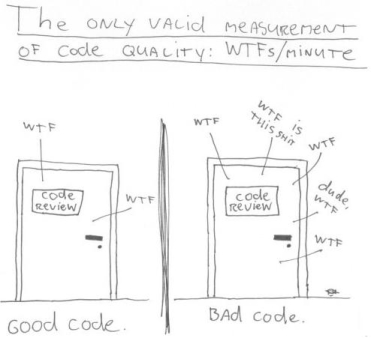
"Professional software developers spend most of their time trying to understand code. Moreover, maintenance can typically be expected to consume 70-90% of the total lifecycle budget of a software project. Maintaining and evolving high-quality documentation is crucial to help developers understand and modify code." [Buse & Weimer, ASE '10 Proceedings ]
"The difference between a tolerable programmer and a great programmer is not how many programming languages they know, and it's not whether they prefer Python or Java. It's whether they can communicate their ideas." -- [joel spolsky]
"Good comments don't repeat the code or explain it -- they clarify its intent. Comments should explain, at a higher level of abstraction than the code, what you're trying to do." [Code Complete]
"Any fool can write code that a computer can understand. Good programmers write code that humans can understand." - Martin Fowler et al, [Refactoring] 1999
"There is nothing in the programming field more despicable than an undocumented program." - Ed Yourdon
"Always code as if the guy who ends up maintaining your code will be a violent psychopath who knows where you live." - Martin Golding